
RPA operates through an application’s user interface. API automation interacts through a programmatic interface or a connector built on one. The choice depends on the system access available, the operation you need, and whether your team can support that integration when the application changes.
Understand what each method controls
Microsoft describes desktop flows as its RPA capability for repetitive tasks on the web and desktop. It separately describes cloud flows triggered by an event, a manual action, or a schedule. These are examples of platform capabilities; a cloud flow may still call a desktop flow as part of a larger design. Desktop flows; Power Automate flow types.
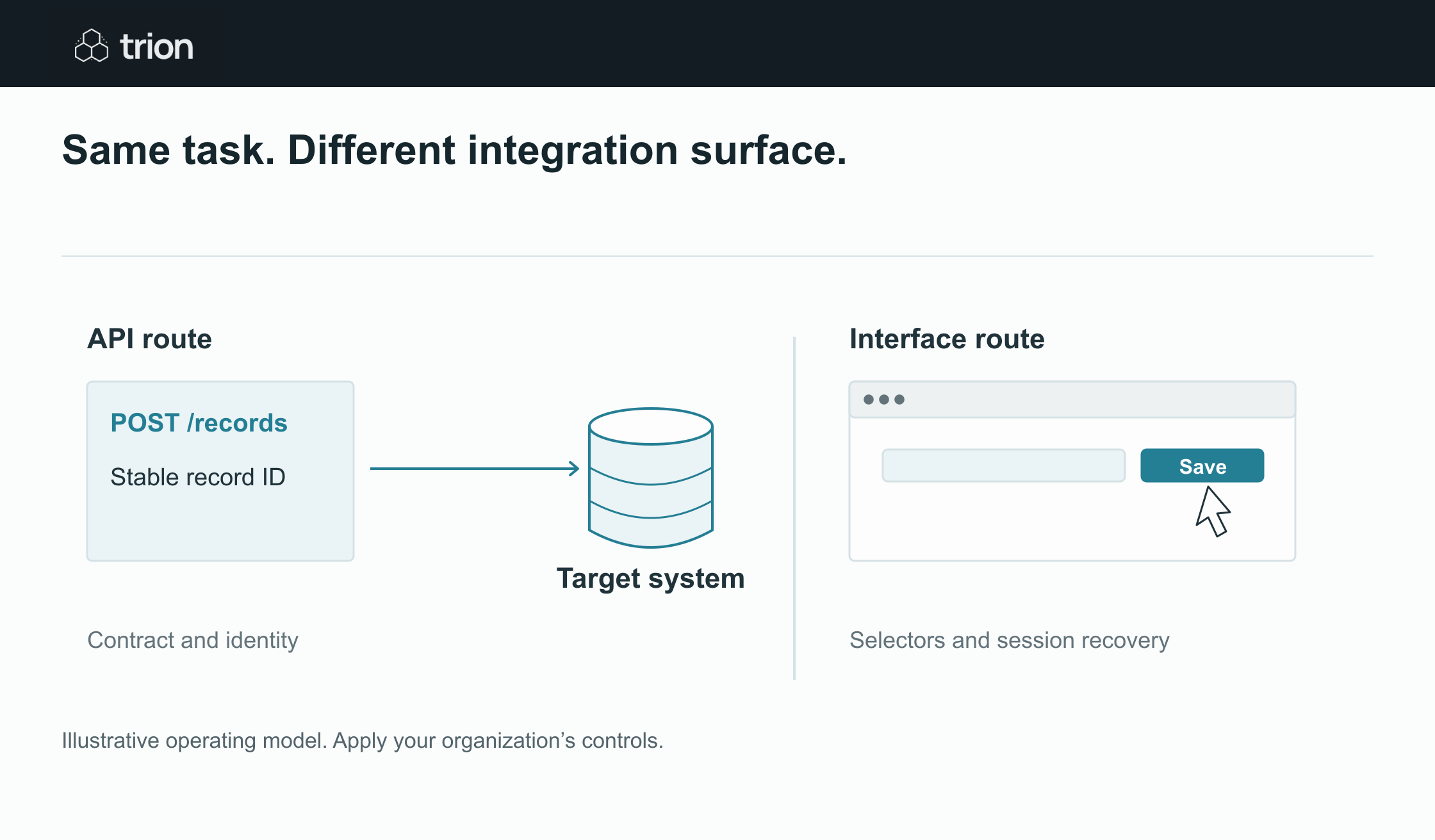

Same task. Different integration surface.
- Works through
- Supported system operations / The visible application
- Keep stable
- Record IDs and API contracts / Selectors and screen behavior
- Test recovery
- Unknown writes and retries / Interrupted sessions and UI changes
View data
| Evidence | Meaning |
|---|---|
| Works through | Supported system operations / The visible application |
| Keep stable | Record IDs and API contracts / Selectors and screen behavior |
| Test recovery | Unknown writes and retries / Interrupted sessions and UI changes |
Illustrative operating model. Apply your organization’s controls.
Download imageFor this comparison, focus on the boundary where a record is read or written. Does the automation select fields and buttons in a screen, or send a supported request containing a defined record identifier and fields? A workflow can use both methods, so choosing a platform does not answer this question for every step.
Do an access assessment before a product comparison
List the exact operations: look up a supplier, create a draft order, update a delivery date, or retrieve a receipt. Check whether the application exposes a supported API for those operations, whether your account can use it, and whether the required fields are available. A connector’s name in a catalog is not proof that it supports your needed action.
For RPA, confirm the machine environment, authentication route, application session, and interface elements the automation can reliably identify. Test with the intended user role. Do not design around a builder’s privileged session if the production workflow will run under different permissions.
Compare the maintenance questions
| Area | Ask for API automation | Ask for RPA |
|---|---|---|
| Identity | Which stable record ID is used? | How is the correct record confirmed on screen? |
| Change | How are versions and retired fields handled? | What happens when labels, layout, or dialogs change? |
| Confirmation | Which response proves the action succeeded? | Which screen or record check proves success? |
| Recovery | Can an uncertain write be reconciled safely? | Can the session recover without repeating a completed action? |
| Support | Who maintains credentials and integration logic? | Who maintains the machine, session, and selectors? |
These are project checks, not universal promises about reliability. A supported API can still have limits, incomplete coverage, or breaking changes. A carefully bounded interface automation may be the workable route for an application without suitable programmatic access.
Consider a mixed legacy-system example
Imagine an illustrative purchasing process where requests arrive in a modern form but the internal order application has no available create-order API. The workflow can validate the request and gather approval through connected records. A desktop step can then prepare the order in the legacy application, followed by a verification step and a reviewer’s final commit.
The desktop step needs an explicit handoff: request reference, approved version, supplier identifier, line items, and expected result. It should report the created draft reference back to the workflow. If it loses the session after saving, check for the draft before starting again. Without that recovery design, a rerun can create duplicates.
Keep interpretation separate from entry
Whether you use an API or a screen, the source fields should already be validated. A UI robot should not invent a missing supplier code. An API request should not substitute a default currency just because the target requires a value. Return incomplete records to the responsible owner.
Require approval before sending or committing the agreed purchasing action. The integration method changes how a write happens; it does not establish business authority to make that write.
Include operating costs in the choice
Compare implementation, platform entitlement, machine or hosting requirements, monitoring, review, and maintenance. Use realistic cases including application downtime and authentication changes. A quick prototype can hide recurring support effort that becomes material after rollout.
Use the automation ROI tool to explore those costs, and the readiness tool to record integration uncertainty. A scoped pilot with real account access should confirm the path. Choose the method whose supported behavior and recovery process your team can operate.