
An approved status is incomplete without the decision it refers to. A purchase approval needs to identify the supplier, line items, costs, terms, and documents the approver reviewed. If those change, the workflow must decide whether the previous approval still applies under an explicit policy.
Approval belongs to a decision packet
Create a packet containing the request reference, selected supplier, quote reference and version, specification, quantities, units, currency, known charges, delivery terms, payment terms, warranty wording, and open questions. Attach the source documents. Show unknowns prominently so an approver does not assume a blank field means none.
Record the approver, authority under the agreed policy, decision, time, conditions, and packet version. A conditional approval needs a clear condition and an owner who verifies it. “Approved if freight is included” is not permission to proceed before someone confirms that fact.
A constant total can hide a changed purchase
In this illustrative example, a manager reviews Quote Q-208 version 1 for a $1,990 purchase. The supplier later sends version 2. The price remains $1,990, but the deposit increases and warranty duration decreases. A comparison that checks only the total would miss both changes.
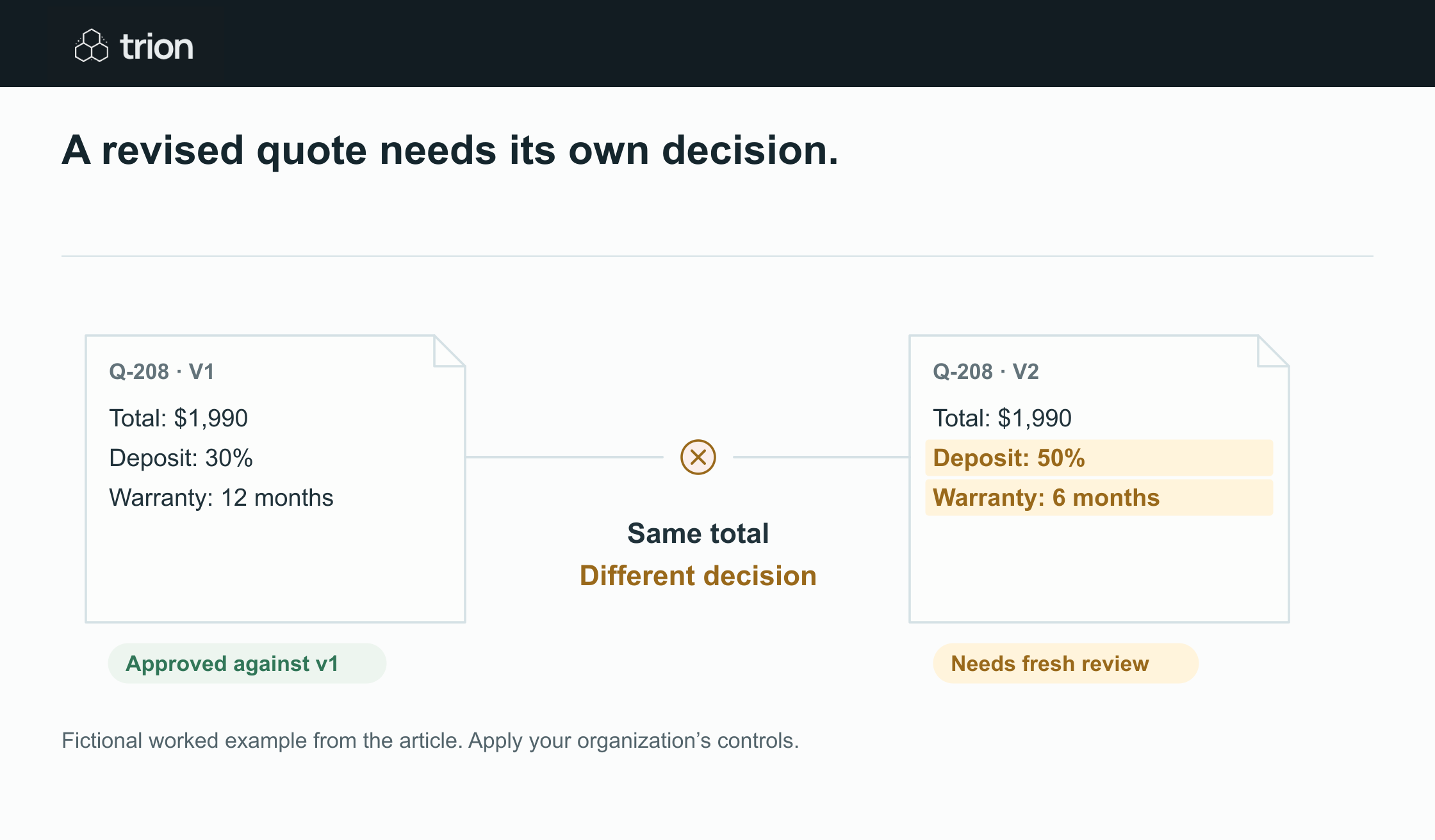

A revised quote needs its own decision.
- Quote
- Q-208, $1,990 in both versions
- Deposit
- 30% in v1, 50% in v2
- Warranty
- 12 months in v1, 6 months in v2
- Approval
- Approved against v1; v2 needs review
View data
| Evidence | Meaning |
|---|---|
| Quote | Q-208, $1,990 in both versions |
| Deposit | 30% in v1, 50% in v2 |
| Warranty | 12 months in v1, 6 months in v2 |
| Approval | Approved against v1; v2 needs review |
Fictional worked example from the article. Apply your organization’s controls.
Download image| Field | Version 1, reviewed | Version 2, revised |
|---|---|---|
| Quoted total | $1,990 | $1,990 |
| Deposit | 30% | 50% |
| Warranty | 12 months | 6 months |
| Approval record | Approved against v1 | Needs review under the change policy |
The approver must see the new deposit and warranty terms before version 2 becomes the purchasing basis. A machine can highlight the differences, but interpreting their commercial significance remains a human decision.
Define which changes require another review
Write a material-change policy before connecting the workflow to orders. It should cover supplier identity, item specification, quantity, unit, unit price, currency, freight, tax treatment, delivery, payment, bank details, substitutions, and warranty. Route terms that cannot be compared reliably to human review.
You may allow narrowly defined administrative corrections, such as a spelling change that does not alter the purchasing decision. State those exceptions explicitly and record them. Do not infer that a revision is administrative because the total stayed the same or because the supplier described it as minor.
Also define what happens when a quote expires, an approver delegates, or a condition remains unresolved. Reusing an old approval for a fresh quotation should be a policy decision with evidence, not a shortcut in the workflow.
Use states that tell the team what happens next
- Draft: the packet is incomplete or still being prepared.
- In review: a named approver has the current packet.
- Changes requested: the reviewer needs a correction or clarification.
- Approved with conditions: the decision has unresolved requirements that need verification.
- Approved: the recorded version meets the agreed approval rules.
- Superseded: a later version changes the basis for the pending action.
Retain the older decision as history when a new version appears. Link the changed fields and new source document to the next review. A reviewer should be able to explain the sequence without searching their inbox.
Check the actual order before sending or committing
Compare the pending purchase order or system update with the approved packet. Check the supplier, lines, quantities, currency, charges, delivery, and terms. This final check catches a draft built from the wrong attachment or a field changed after approval. If there is a mismatch, return it to the appropriate reviewer.
Keep approval to purchase separate from payment execution. Changed bank or payment details need the checks defined by your team, and a purchasing approval should not be treated as permission for an unattended payment. External messages and system commitments remain behind the agreed review controls.
Test the exceptions during the pilot
Use the approval checklist to define the evidence required for a decision. Run pilot scenarios with a price revision, unchanged total but changed terms, expired quote, missing freight, absent approver, conditional approval, and conflicting source documents.
The pilot needs access to your source records and any intended target system. Confirm that extraction preserves the original values and that changed terms reliably enter the review queue. The test is whether the right person can see and resolve the difference before the purchase is sent or committed.