
Human-in-the-loop automation includes a person at a defined decision point. The review must have a purpose, enough evidence, and a clear effect on the next action. A notification that arrives after the action is complete is a different control from approval before it happens.
Choose the decision the reviewer owns
Specify whether the person confirms extracted information, resolves an uncertain category, approves an external message, or authorizes a record change. Those are different decisions and may belong to different roles. A single button labeled approve can conceal several responsibilities the reviewer did not realize they were accepting.
n8n’s tool-review feature can pause an AI Agent before selected tools execute. The reviewer sees the proposed tool inputs and can approve or deny the action. That is one technical implementation of a pre-action control. Your business policy still determines which actions require it and who may decide. n8n’s human review documentation.
Place review where it can prevent the mistake
If an automation prepares a customer reply, reviewing a summary after sending cannot correct the original communication. Place the gate before send. If it proposes a delivery-date update, review the evidence before committing the new date. A later audit may also be useful, but it serves a different purpose.
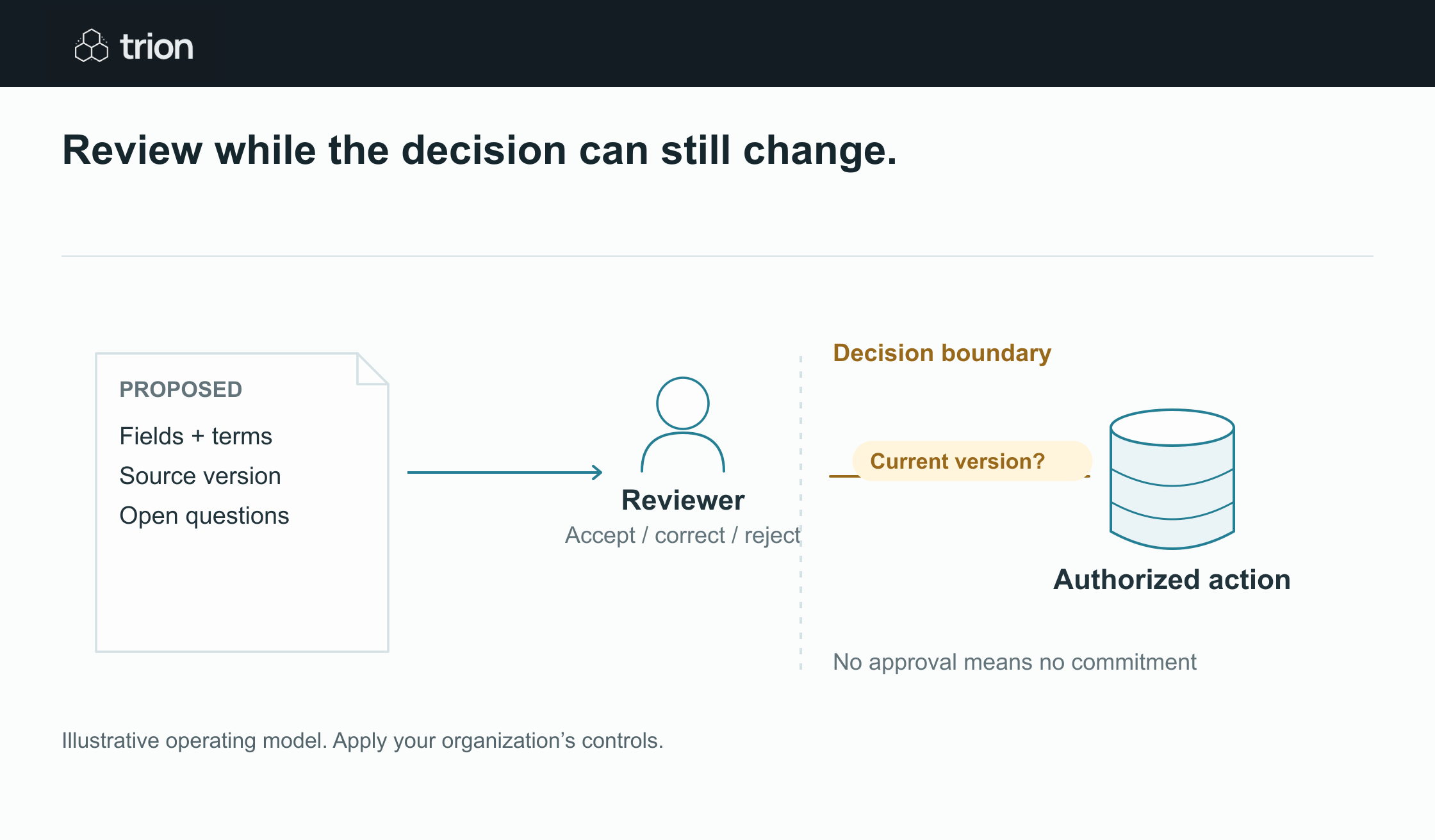

Review while the decision can still change.
- Prepare
- Proposal and source evidence
- Review
- Accept, reject or request detail
- Check
- The reviewed version is current
- Execute
- Confirm the authorized action
View data
| Evidence | Meaning |
|---|---|
| Prepare | Proposal and source evidence |
| Review | Accept, reject or request detail |
| Check | The reviewed version is current |
| Execute | Confirm the authorized action |
Illustrative operating model. Apply your organization’s controls.
Download imageFor an illustrative service workflow, an incoming complaint produces a proposed classification, internal escalation, and draft acknowledgment. An operations reviewer can confirm the route. A customer-facing reply may need a different reviewer if it contains a promise or commercial concession. Split the gates when authority differs.
Make the review packet small and complete
| Element | Purpose | Example |
|---|---|---|
| Original evidence | Let the person verify the interpretation | Message and relevant attachment section |
| Proposed action | Show the exact consequence | Draft reply with recipient and subject |
| Uncertainty | Direct attention to what needs judgment | Delivery date conflicts with the current record |
| Decision scope | Clarify what approval authorizes | Send this draft only; no booking change |
| Version | Prevent approval of a changed proposal | Draft v3 with source references |
Avoid making the reviewer reconstruct context across several applications. Show the decisive evidence and let them open the full source. Keep model interpretation visibly separate from confirmed fields so a confident sentence does not acquire authority by presentation alone.
Define more than approve and reject
Useful outcomes include approve, request changes, ask for missing information, delegate under policy, and reject. Each needs a transition. A rejected action should stop; a request for changes should create a new proposal; missing information should go to a named owner. Record the reason rather than simply returning the item to the same queue.
Define expiry and absence handling. If a reviewer is unavailable, escalate to an authorized backup. Do not interpret silence as approval unless a deliberately defined policy permits that behavior for the specific action. For a pilot involving consequential writes, keep an explicit approval requirement.
Protect the decision between review and execution
Bind approval to the exact proposed action and supporting version. If the recipient, amount, destination record, or commercial wording changes, return it to review according to the change policy. Immediately before execution, check that the action still matches what the person approved.
Keep a decision record with reviewer identity, time, outcome, conditions, proposal version, and execution result. The goal is to explain what happened without relying on a chat message that someone may later edit or lose.
Measure the burden you are creating
Track review minutes, waiting time, changes requested, repeated rejections, and overdue items. Frequent corrections to the same field suggest an extraction or policy problem. A growing queue may indicate insufficient reviewer capacity or a gate placed before the necessary evidence exists.
Make review effort part of the business case. If an automation creates twice as many weak drafts as useful drafts, the preparation step may not reduce work. Improving the packet or narrowing the scope can be more valuable than relaxing the control.
Pilot the review path with actual people
Use the approval matrix tool to prepare roles and routes, then test rejection, changed proposals, missing evidence, expired reviews, and delegation. The readiness tool helps identify unowned decisions. Confirm account access and configured control behavior before relying on the workflow for external messages or system commitments.