
An automation can finish technically while leaving a business task incomplete. It can also time out after the target system has accepted a write. Monitoring needs to expose both situations, and retry behavior must account for the effects that may already have happened.
Monitor the business outcome as well as the run
Track how many eligible events arrived, how many reached the intended state, and how many need review. A green run that creates an incomplete request is not a completed business outcome. A workflow that stops receiving events can be unhealthy even when its recent runs show no errors.
Give every case a reference connecting the source event, workflow version, action attempts, approval, and target result. Expose its last confirmed state and the next owner. Record enough diagnostic detail to investigate the problem without copying sensitive source documents into every alert.
Classify the failure before retrying
| Condition | Example | Proposed response |
|---|---|---|
| Transient failure | A temporary service error before confirmed completion | Limited retry under the integration’s policy |
| Invalid input | A missing required supplier reference | Return to an owner for correction |
| Access failure | A revoked credential or denied permission | Alert the access owner; stop repeated writes |
| Uncertain write | Timeout after an order creation request | Reconcile the target before another attempt |
| Business exception | A revised amount no longer matches approval | Route to review instead of technical retry |
These categories are a proposed operating policy. The exact error codes and retryable conditions must come from each integration’s documented behavior and your pilot observations.
Bound retries and spread them over time
AWS’s retry-with-backoff guidance describes increasing the wait between attempts, limiting attempts, and using idempotent operations. It distinguishes temporary failures from conditions that should fail without repeated retry. Apply the supported client and service behavior for your integration rather than using one retry rule for every error. AWS’s backoff pattern.
Set a maximum attempt count, elapsed time, and escalation path. If many workflows retry an unavailable service together, repeated immediate attempts can add load without making progress. Ensure nested components do not each retry independently in a way that multiplies the actual number of calls.
Resolve an uncertain write before repeating it
In an illustrative workflow, an order draft is created in a target system, but the response never reaches the automation. The run reports a timeout. If the workflow starts over, it may create a second draft. Use the original operation reference to look for the first result before issuing another write.
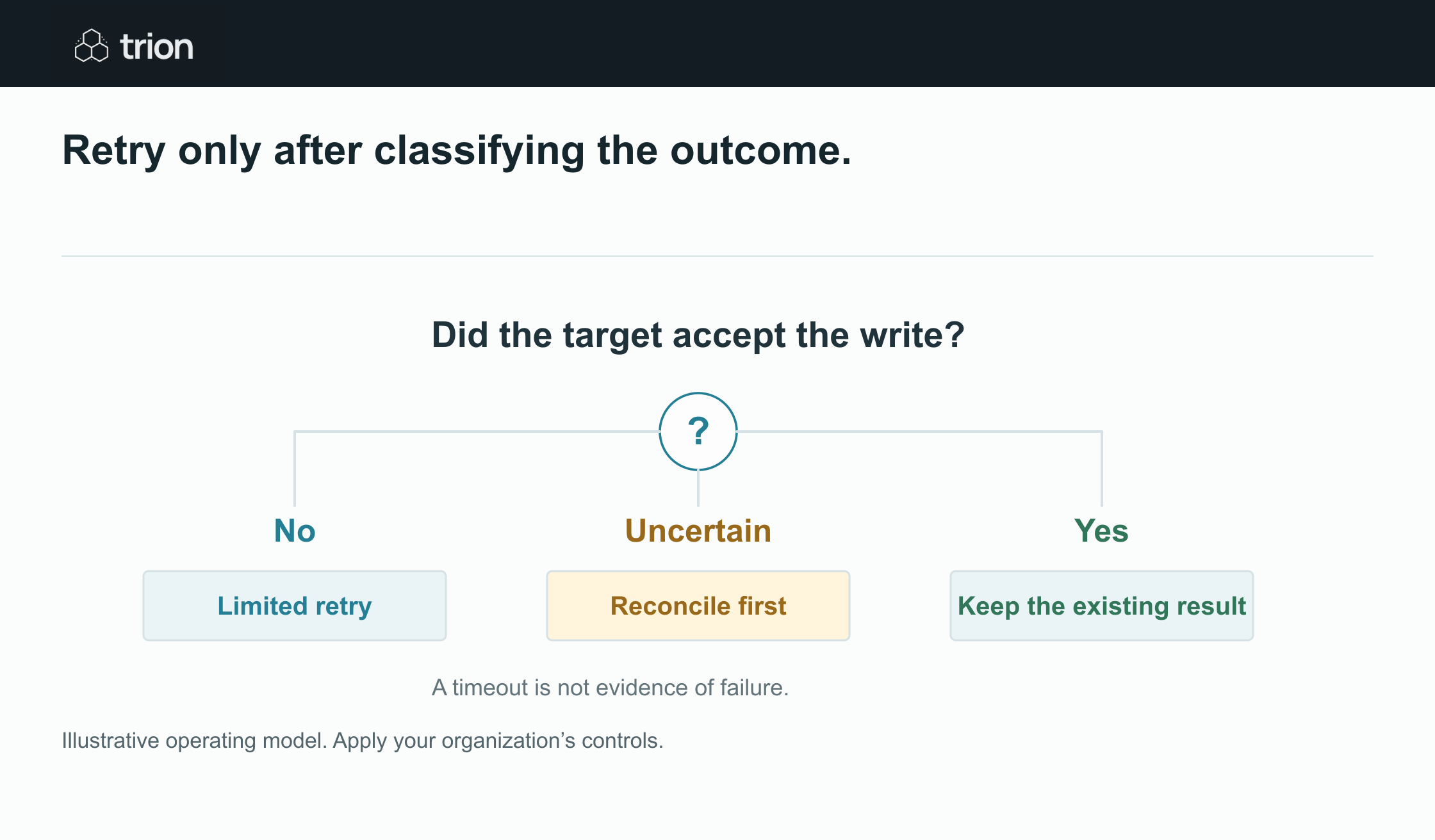

Retry only after classifying the outcome.
- Confirmed failure
- No effect was accepted. Retry within limits
- Uncertain write
- Target may have accepted it. Reconcile first
- Confirmed success
- Effect already exists. Do not duplicate
View data
| Evidence | Meaning |
|---|---|
| Confirmed failure | No effect was accepted. Retry within limits |
| Uncertain write | Target may have accepted it. Reconcile first |
| Confirmed success | Effect already exists. Do not duplicate |
Illustrative operating model. Apply your organization’s controls.
Download imageWhere the target supports an idempotency mechanism, use it according to that system’s contract. Where it does not, design a reconciliation check and a controlled recovery route. A local “already processed” flag alone cannot prove the remote system did not complete the action during a network failure.
Microsoft’s flow testing guidance cautions that resubmitting a run can create duplicate records or messages and that input or workflow changes can alter the result. That supports treating a rerun as a recovery decision, not a universal repair button. Microsoft’s resubmission considerations.
Create a queue for unresolved runs
After retries are exhausted, retain the input reference, completed steps, last error, action uncertainty, and recommended next check. Assign an owner and due time appropriate to the business consequence. A technical error log that nobody reviews is not an operational queue.
Give the operator explicit options: correct input and resume, reconcile a remote result, request access repair, return to approval, or cancel with a reason. Preserve the previous attempts when a case is repaired. This lets the team distinguish a recurring defect from several unrelated incidents.
Alert on conditions someone can act on
Useful signals include oldest unresolved case, review queue growth, missing expected events, repeated access failures, rising correction rate, and cost per completed outcome. Define an owner and response for each alert. Avoid flooding the team with an identical message for every retry attempt.
Test these controls during the pilot by interrupting an integration and simulating a timeout near a write. Use the workflow readiness tool to document recovery gaps. The workflow is supportable when an operator can explain what happened and safely choose the next step.